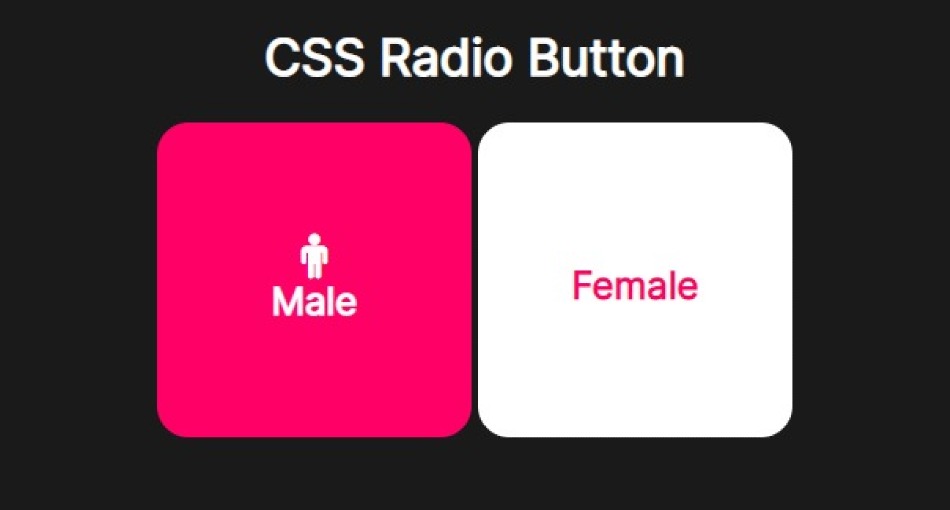
In this tutorial, we will create a Rounded Square Box Radio Button with HTML and CSS.
How to Design Rounded Square Box Radio Button with HTML and CSS
HTML:
<div class="middle">
  <h1>CSS Radio Button</h1>
  <label>
  <input type="radio" name="radio" checked/>
  <div class="male box">
    <span>Male</span>
  </div>
</label>

  <label>
  <input type="radio" name="radio"/>
  <div class="female box">
    <span>Female</span>
  </div>
</label>
</div>
CSS:
@charset "UTF-8";
@import url("https://fonts.googleapis.com/css?family=Inter:400'");
html {
background-color: #1a1a1a;
overflow: hidden;
}
.middle {
width: 100%;
text-align: center;
/* Made by */
}
.middle h1 {
font-family: "Inter", sans-serif;
color: #fff;
}
.middle input[type=radio] {
display: none;
}
.middle input[type=radio]:checked + .box {
background-color: #ff0066;
}
.middle input[type=radio]:checked + .box span {
color: white;
transform: translateY(70px);
}
.middle input[type=radio]:checked + .box span:before {
transform: translateY(0px);
opacity: 1;
}
.middle .box {
width: 200px;
height: 200px;
border-radius: 20px;
background-color: #fff;
transition: all 250ms ease;
will-change: transition;
display: inline-block;
text-align: center;
cursor: pointer;
position: relative;
font-family: "Inter", sans-serif;
font-weight: 900;
}
.middle .box:active {
transform: translateY(10px);
}
.middle .box span {
position: absolute;
transform: translate(0, 60px);
left: 0;
right: 0;
transition: all 300ms ease;
font-size: 1.5em;
user-select: none;
color: #ff0066;
}
.middle .box span:before {
font-size: 1.2em;
font-family: FontAwesome;
display: block;
transform: translateY(-80px);
opacity: 0;
transition: all 300ms ease-in-out;
font-weight: normal;
color: white;
}
.middle .male span:before {
content: "";
}
.middle .female span:before {
content: "";
}
.middle p {
color: #fff;
font-family: "Inter", sans-serif;
font-weight: 400;
}
.middle p a {
text-decoration: underline;
font-weight: bold;
color: #fff;
}
.middle p span:after {
content: "";
font-family: FontAwesome;
color: yellow;
}Preview: